Passwordless login
Passwordless login allows users to authenticate without using traditional passwords. This guide shows how to enable and configure passwordless authentication methods in your Ory project.
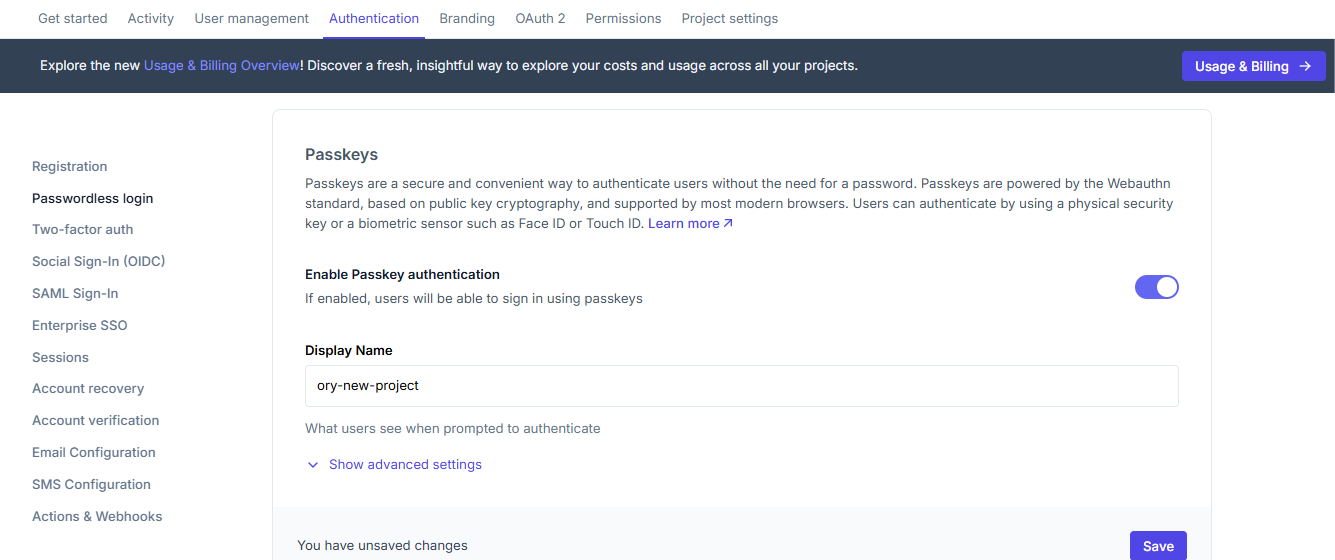
Enabling Passkeys
Passkeys are a secure and convenient way to authenticate users without passwords. They use public key cryptography and are supported by most modern browsers.
To enable Passkeys:
- Log in to your Ory Console
- Select your workspace and project
- Navigate to the Authentication tab
- Click on Passwordless login in the sidebar
- Toggle "Enable Passkey authentication" to on
- Configure the Display Name (what users see when prompted to authenticate)
- Set the Hostname (the domain of the log-in page)
- Add any required Origins (must match scheme://domain[:port])
- Click "Save"
Enabling One-Time Codes
One-Time Codes (OTC) provide a secure authentication method where codes are sent directly to the user's email or phone.
To enable One-Time Codes:
- In the Passwordless login section
- Toggle "Enable one-time code passwordless" to on
- Click "Save"
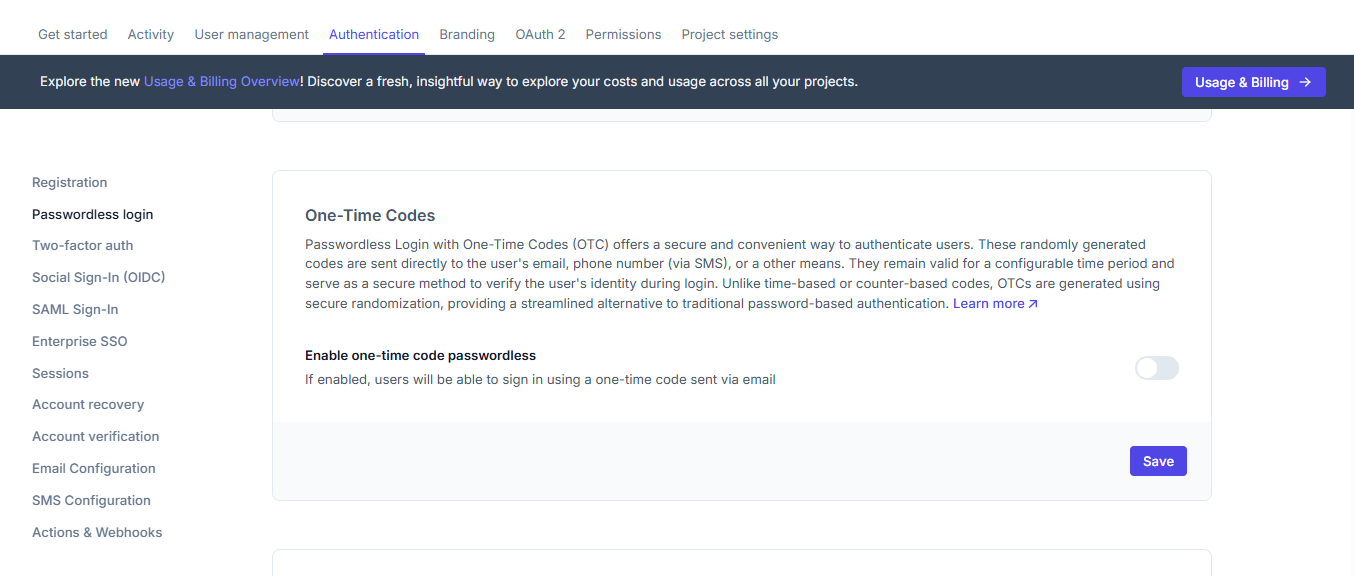
Users will receive a one-time code via email when they attempt to sign in.
Enabling WebAuthn
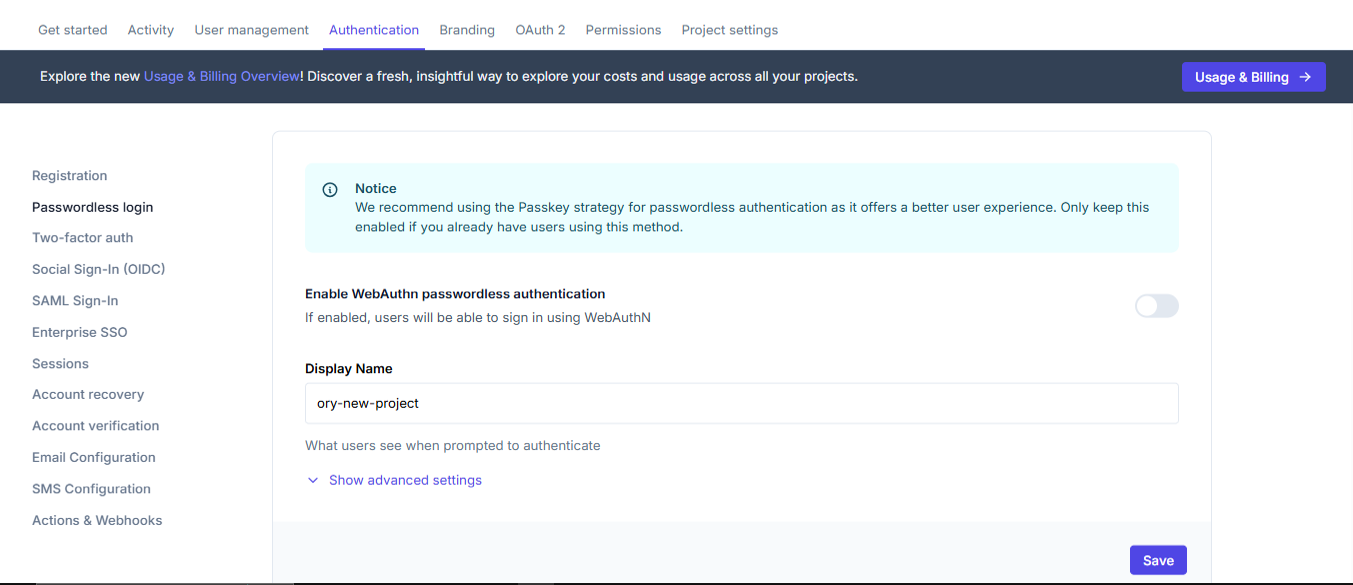
WebAuthn is a standard for hardware-based authentication using security keys or built-in platform authenticators.
To enable WebAuthn:
- In the Passwordless login section
- Toggle "Enable WebAuthn passwordless authentication" to on
- Configure the Display Name
- Click "Save"
Recommended Approach
Ory recommends using the Passkey strategy for passwordless authentication as it offers a better user experience.
If you already have users using another method, you can keep both enabled during transition.
What users will see
After enabling passwordless options, users will have new ways to authenticate:
Passkeys
Users will see a browser prompt to use a passkey:

One-Time Codes
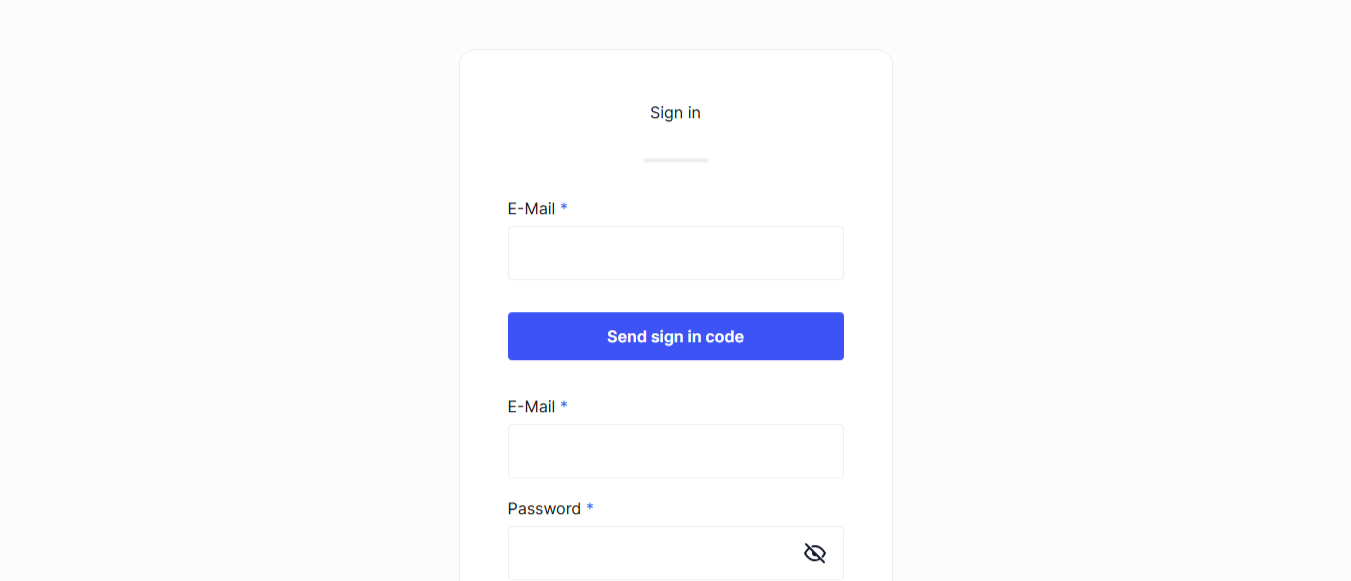
When using one-time codes, users will:
- Enter their email address
- Receive a code via email
- Enter the code to complete authentication
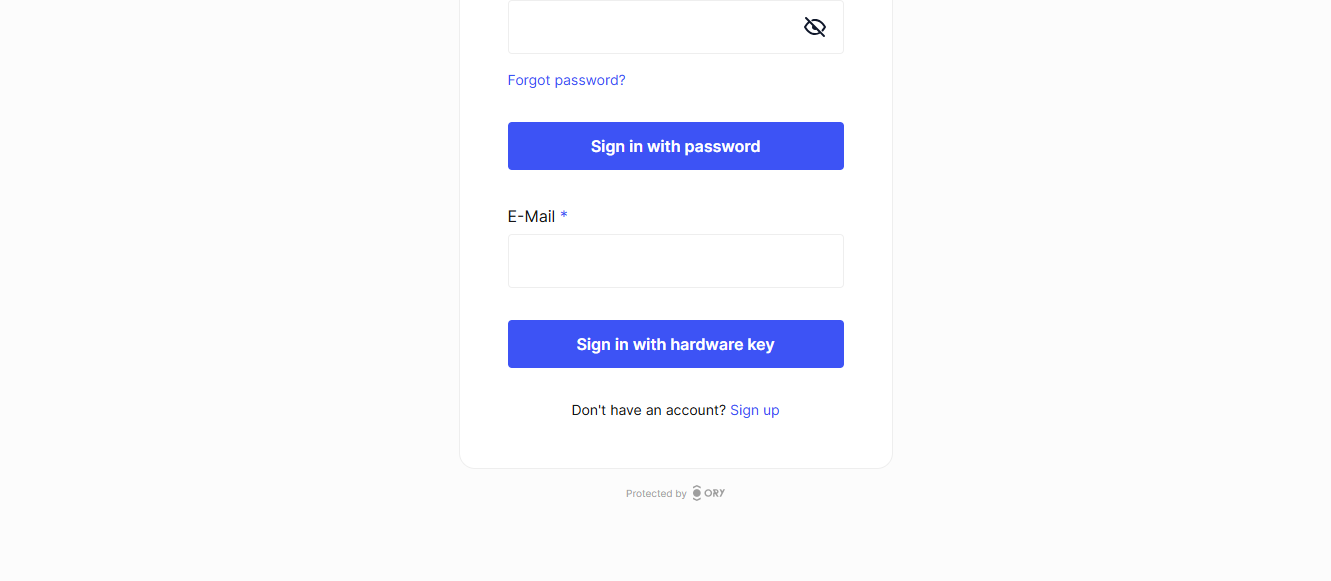
WebAuthn
With WebAuthn enabled, users will be prompted to:
- Insert a security key, or
- Use their device's built-in authenticator (fingerprint, face recognition)
Next steps
Now that you've enabled passwordless authentication, you can:
- Test the passwordless login flow with your application
- Customize your authentication UI to include the passwordless options
- Manage session configuration for authenticated users